



Yetizino Mobile App
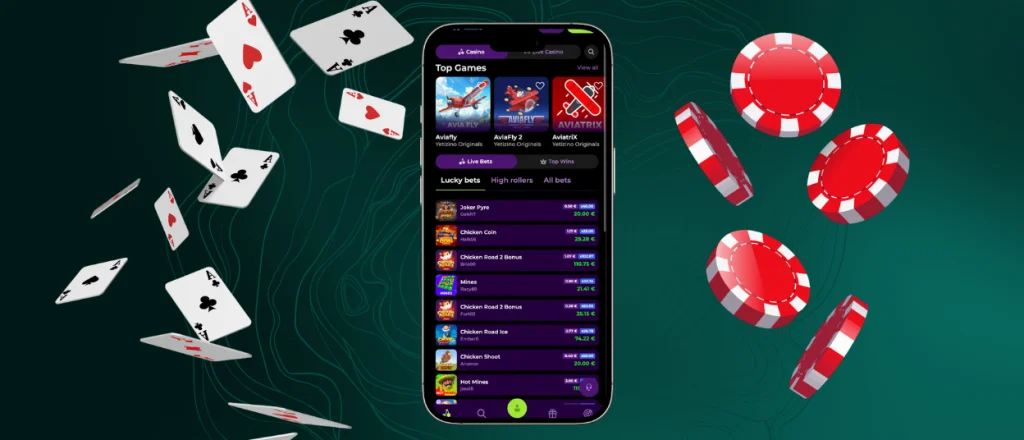
The Yetizino app lets you open your casino account from your phone in just a few taps. It works as a PWA, so there is no large installation or manual updates. Users get the same games, account tools and mobile betting features as on the desktop site with an interface that fits smaller screens well.



Why Choose the Mobile Version?
The Yetizino App offers all games, account features and payment options as the desktop website in a format made for smartphones. Pages load quickly, navigation feels simple and every section is easy to reach on a touchscreen.
- Full access to casino features. The Yetizino App has account tools and games promotions available on the desktop site.
- Touch-friendly navigation. Buttons, menus and game controls fit smaller screens, which makes mobile slots and live tables easier to use.
- No large installation file. The platform works as a progressive web app, so the PWA uses little storage and updates automatically.
- Fast access on the go. Users get quick entry to the lobby and mobile betting section directly from their phone.
- Cross-device synchronization. Your balance, account details and active sessions stay updated when you switch between mobile and PC.
- A smaller screen is the main drawback. A desktop is more comfortable for long sessions, several open tabs or detailed betting markets. For regular mobile gambling, the phone version offers almost similar functions with faster access.
How the Yetizino App Looks and Feels
The Yetizino app keeps the same clean design as the desktop website, so there is no need to get used to a new layout. Games, bonuses, payments and account settings stay within easy reach, and the search bar helps users find a title without scrolling through dozens of pages.
The Yetizino App is built for touchscreens. Buttons react quickly, menus open without delays, and every page adjusts to the size of your display. Switching between mobile slots, live tables and the cashier feels smooth, even during longer sessions.
The app keeps everything in one place. Customers can check their balance, open promotions, or contact support in just a few taps. The Yetizino casino app focuses on simple navigation rather than extra menus, making everyday use comfortable on both smartphones and tablets.
Mobile Application for Android & iOS
The Yetizino App is available as a progressive web app (PWA). The Yetizino download app process starts on the official website, so there is no need to search app stores or install a large package. Setup is almost identical on Android and iOS and takes only a minute.
| Feature | Android | iOS |
| Installation | Open the website in Chrome, tap the three-dot menu, select “Add to Home Screen,” then confirm with “Add.” | Open the website in Safari, tap the Share button, choose “Add to Home Screen,” and then confirm with “Add.” |
| Launch Method | Start the Yetizino app from the home screen or app drawer. | Open the Yeti Zino App from the home screen like any other application. |
| Updates | The progressive web app updates automatically each time it connects to the server. | The latest version is loaded automatically without manual updates. |
| Storage Usage | Uses much less space than a traditional Android app because there is no large installation package. | Takes only a small amount of device storage since the iOS app works as a PWA. |
| Downloads | There is no need to search for a separate Yetizino APK or install an APK file from third-party websites. | Installation takes place directly through Safari without visiting the App Store. |
| Main Features | Full access to mobile slots, mobile betting, payments, bonuses and account settings. | The same game library, wallet, promotions and profile management as on Android and desktop. |
| Desktop Access | Chrome users just create a desktop shortcut by opening the three-dot menu and selecting “Cast, save and share” → Create shortcut. | Desktop shortcuts are available through Chrome on Windows and macOS using the same method. |
This format is more informative, avoids long paragraphs inside cells, and naturally incorporates the relevant keywords without forcing them.
Yetizino APK
There is no official Yetizino APK because the platform runs as a progressive web app instead of a traditional Android application. There is no need to download an APK file or install updates yourself. Add the site to your home screen and the latest version will always be available. The PWA also removes the need to search for APK files on third-party websites.
The Yetizino Desktop Experience
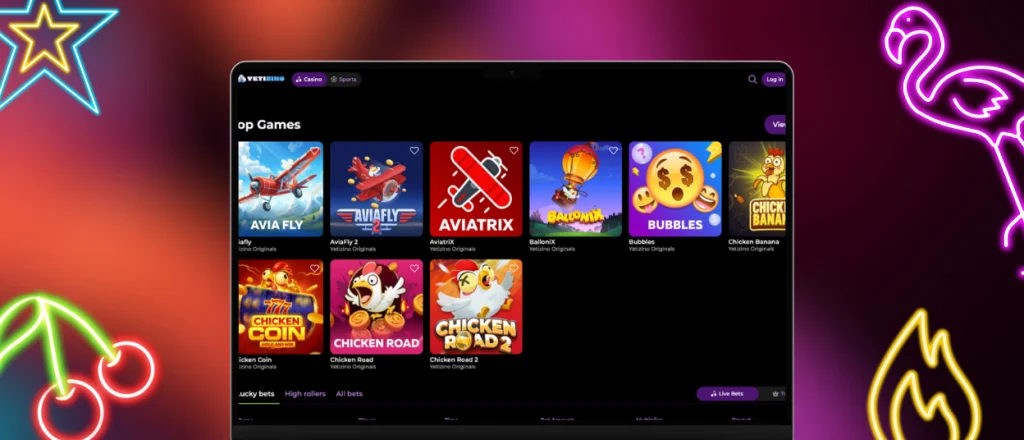
The desktop version offers a wider workspace, making it easier to browse the game lobby, compare mobile betting markets and manage your account. Large screens also help when several pages are open during the session.
The Yetizino App uses your own account across all devices. Your balance, promotions and recent activity stay synchronized, so you can switch between desktop and the Yetizino mobile app without starting over. If you prefer playing on your phone later, the Yetizino App download takes only a minute from the official website.
FAQ
Does the Yetizino App include customer support?
Yes. The Yetizino App includes support options just like the desktop site. Open the help section to start a live chat or use the contact form without leaving your account.
How is the mobile app different from the desktop version?
The mobile casino version keeps all games, payments and account features in a layout made for touchscreens. The desktop version gives you more screen space, while the phone version is easier to use when you’re away from your computer.
Can the app send push notifications?
Yes, if you allow notifications on your device. The app sends updates about bonuses, tournaments and important account events. You can turn them on or off in your device settings.


